The Cellar Photoshop Thread

Rexmons • Sep 10, 2007 2:14 pm
I'm trying to keep my Photoshop skills sharp so I started this thread for Cellarites to upload any image you want airbrushed or manipulated in some way. The image should be attached as a JPG and should be large (usually the default size from a digital camera is good) and unblurred. You should also include what you would like to be done to the pic. Anyone who wants to improve their Photoshop skills is more than welcome to join in on the fun.
bigw00dy • Sep 10, 2007 3:08 pm
This could be a great thread! I have recently got back into photoshop....it sounds great, but I am pretty lame in photoshop.. But I want to sharpen my skills up.

I would love to know how to make a black&white picture with one object in color. I love that effect!!
HungLikeJesus • Sep 10, 2007 3:19 pm
Rexmons;383982 wrote:
I'm trying to keep my Photoshop skills sharp so I started this thread for Cellarites to upload any image you want airbrushed or manipulated in some way. The image should be attached as a JPG and should be large (usually the default size from a digital camera is good) and unblurred. You should also include what you would like to be done to the pic. Anyone who wants to improve their Photoshop skills is more than welcome to join in on the fun.

I think the size of attached jpg images is limited to 146.5 kB.

It would be interesting to see before and after images.
beauregaardhooligan • Sep 10, 2007 3:21 pm
I've tried uploading large pix here, but am limited to 146.5 KB.
I've seen others post some 3 or 4 times that size.
Do you have to be a member for a certain amount of time, or make so many posts to load a large pic?
Happy Monkey • Sep 10, 2007 3:58 pm
You have to host it somewhere else, like flickr, and link to it here.
glatt • Sep 10, 2007 4:55 pm
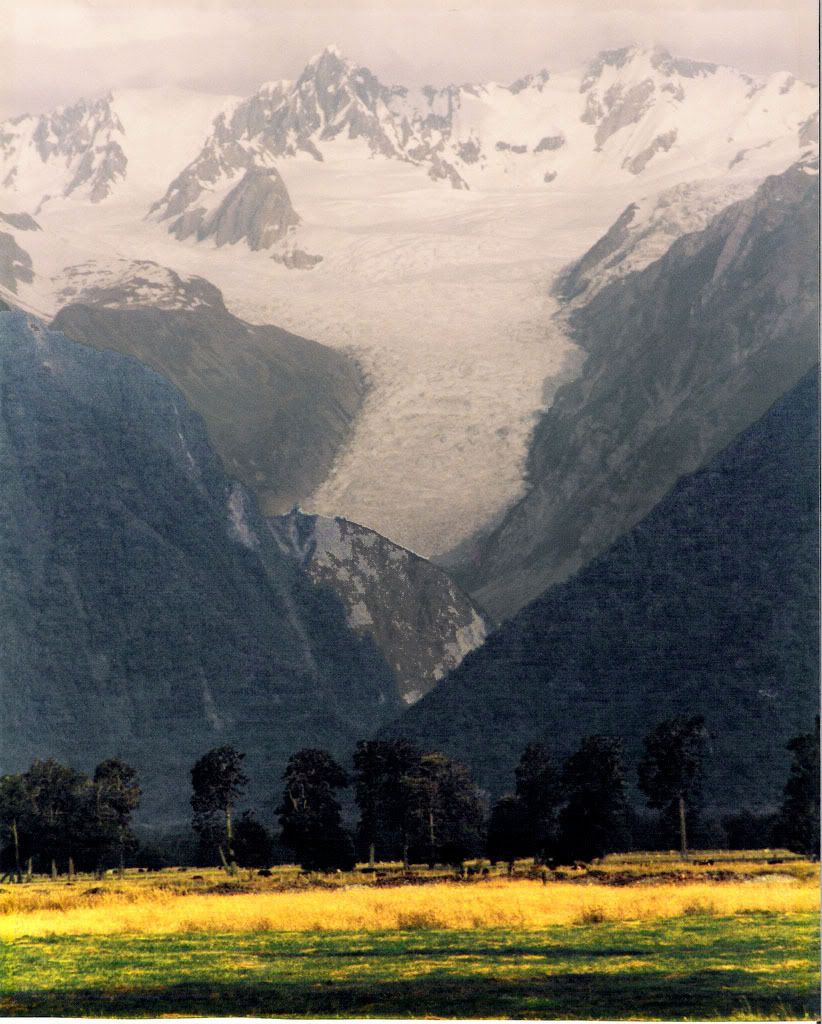
OK. I'll bite. What can you do with this image hosted on flickr.com?

Image

I took this picture about ten years ago with a film camera. Had an 8x10 print made. Recently I scanned that 8x10 print on a crappy flatbed scanner. Can you make this into a nice image? Get rid of the flatbed scanner artifacts. Screw around with the brightness contrast, etc. to make it jump out at you a little more?

Unfortunately the sun was a little higher in the sky than I wanted when I took the picture and the lighting is a little flat. But I like the subject and composition.

Edit: I see the flickr image isn't as large as my original. It's big, but mine is bigger. I can e-mail you a 3 or 4 MB file of the original if you like.

Thanks. And if you don't feel like doing this, then no worries.

What can you do to make this pretty? Oh, and there are a few scratches and places where the picture frame abraded the surface. Maybe you can see if you can clean those up too.
Rexmons • Sep 12, 2007 12:18 am
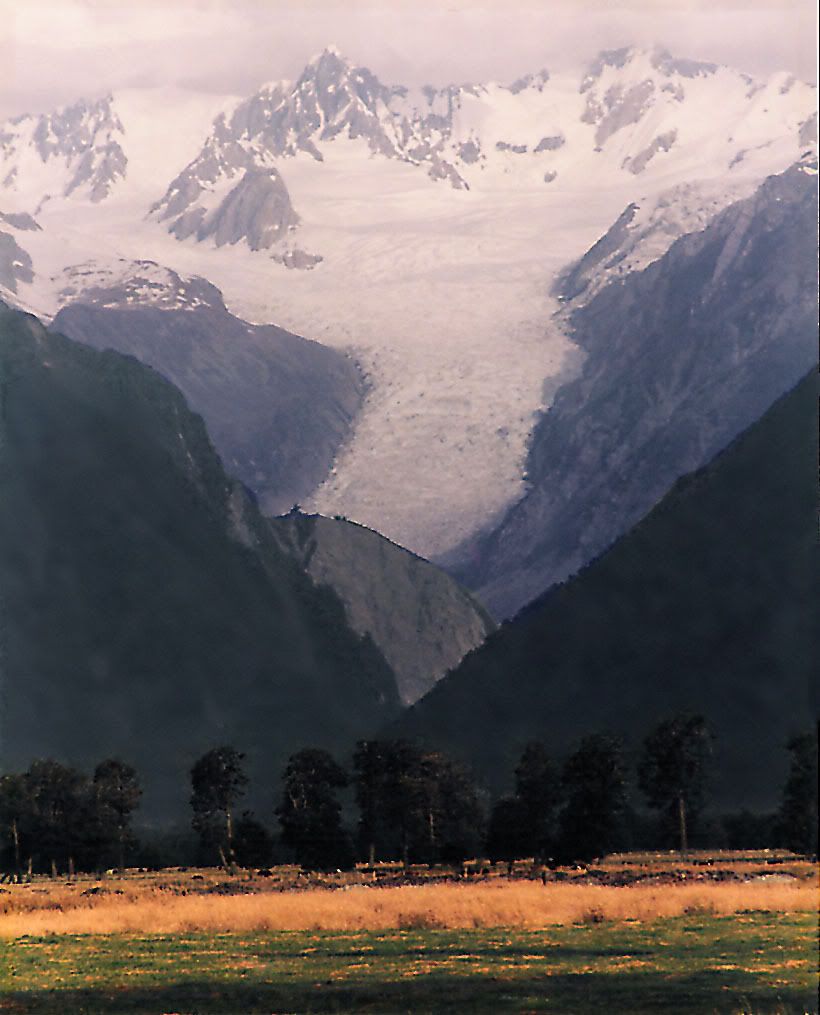
sorry I had somewhat of an emergency and wasn't able to log in before but I did some stuff to your pic:
Image
lumberjim • Sep 12, 2007 12:43 am
glatt;384026 wrote:
OK. I'll bite.


What can you do to make this pretty?
zippyt • Sep 12, 2007 1:10 am
whats on LJs mind ??!!??
glatt • Sep 12, 2007 8:29 am
Rexmons;384410 wrote:
sorry I had somewhat of an emergency and wasn't able to log in before but I did some stuff to your pic:


Cool! Thanks for doing that. I see you got rid of some scratches and adjusted the foreground, middle area, and distance to make them stand out from eachother. Pretty cool.

I wonder what approach there might be to get rid of the "lines" made by the flatbed scanner. I was wondering if some selective blurring might do it, or if resizing the picture slightly would make them vanish.
Sundae • Sep 12, 2007 5:23 pm
bigw00dy;383999 wrote:
I would love to know how to make a black&white picture with one object in color. I love that effect!!

Argh - there was a photographer in Leicester that had photos like that in the window.
All of parents with babies. Black & white father with rosy baby - I wasn't sure whether it reminded me more of the Sixth Sense or a burns victim.
Cicero • Sep 12, 2007 6:39 pm
Damn it. I just spent an hour on that.....who thinks CS3 is making their files too incredibly large? Is it just me?
Rexmons • Sep 12, 2007 11:37 pm
better?

Image
monster • Sep 13, 2007 12:23 am
yes, but it seems you are concentrating on brightening the foreground, when really it's the background that needs brightening. Not that i know anything about anything arty.
DucksNuts • Sep 13, 2007 12:30 am
The trees need to come out more.

And there is something wiggy about that blob in the middle.

The sky, the snow n the mountains need more definition.

:) I dont know anything arty either
monster • Sep 13, 2007 12:37 am
whiter snow maybe?

lj, he said prettier. I helpd u owt.
DucksNuts • Sep 13, 2007 12:51 am
You missed his nose hair, Monster.
monster • Sep 13, 2007 1:31 am
DucksNuts;384761 wrote:
You missed his nose hair, Monster.


there's a nose under there?
glatt • Sep 13, 2007 9:51 am
Rexmons;384740 wrote:
better?


Yeah. That is better.

This picture is a hard one to work with. I want to be able to have detail in the hills in the foreground, but get rid of the stupid scanner lines. I tried a vertical blur filter to get rid of the horizontal lines, and then messed with the contrast a bit. I like that in my version below there is still some detail in the hills, but I don't like it that my trees blend in with the hills in the background.

This is my latest attempt.

(If you want a copy of the full sized version of the picture below, it's here. And it's huge)

Image
glatt • Sep 13, 2007 9:56 am
monster;384758 wrote:
lj, he said prettier. I helpd u owt.


It's that woman (Mimi?) from the old Drew Carey show!
Shawnee123 • Sep 13, 2007 9:56 am
omg monster! You took lj's original funny idea and took it a step further. If I had coffee right now it would be all over my monitor!
Spexxvet • Sep 13, 2007 10:16 am
Night on Bald Mountain?:eek: :rotflol: :bolt:
[IMG]http://img104.imageshack.us/img104/6972/bigmountainjimdk5.jpg" alt="Image" />[/IMG]
TheMercenary • Sep 13, 2007 12:43 pm
LJ, that was funny as hell. Thanks for the laugh. :D
Cicero • Sep 13, 2007 12:52 pm
Glatt, did you do unmask sharpen filter? I did- maybe too much. It came out with more detail but I thought it might be too grainy for ya. I'll set some more time out today.
Rexmons • Sep 13, 2007 1:50 pm
glatt just a thought, i was reading that there's a trick you can use when scanning pictures to get rid of those lines but it requires applying something to the picture itself pre-scan.
glatt • Sep 13, 2007 3:08 pm
Cicero;384891 wrote:
Glatt, did you do unmask sharpen filter? I did- maybe too much. It came out with more detail but I thought it might be too grainy for ya. I'll set some more time out today.


I don't have a current version of Photoshop, but I do have the GIMP and there's a tileable blur feature that lets you choose a vertical blur or horizontal blur or both. It's kind of neat. I figured that since the lines are horizontal, if I blurred things in the vertical axis, I could get rid of them without losing so much detail.

Here's an exaggerated sample of each.

Horizontal Blur
Image

Vertical Blur

Image


Rexmons;384926 wrote:
glatt just a thought, i was reading that there's a trick you can use when scanning pictures to get rid of those lines but it requires applying something to the picture itself pre-scan.


No worries. I already have a nice print hanging on my wall, and I have the negative somewhere, so I could always get it professionally scanned. I just wanted an easy decent quality digital copy. But the scanner I used was a low quality one (Printer/scanner/copier/card reader/fax machine all in one.)

I just figured it would be a good exercise trying to make a silk purse out of a sow's ear.
Cicero • Sep 13, 2007 6:27 pm
Oh jeez- no.....maybe I'll get to crackin'.......once I can minimize the file size to an apropriate viewable file..
lumberjim • Sep 13, 2007 7:48 pm
Image
[michael buffer] Lllllllllllllllllllllllet's get ready to get ready! [michael buffer]
Ibby • Sep 16, 2007 11:00 am
bigw00dy;383999 wrote:
This could be a great thread! I have recently got back into photoshop....it sounds great, but I am pretty lame in photoshop.. But I want to sharpen my skills up.

I would love to know how to make a black&white picture with one object in color. I love that effect!!


Image

(click for full size)
Ibby • Sep 16, 2007 11:26 am
Image
xoxoxoBruce • Sep 16, 2007 1:07 pm
bigw00dy;383999 wrote:
This could be a great thread! I have recently got back into photoshop....it sounds great, but I am pretty lame in photoshop.. But I want to sharpen my skills up.

I would love to know how to make a black&white picture with one object in color. I love that effect!!
Try this, Woody
bigw00dy • Sep 17, 2007 2:05 pm
That is a great link!!!!! Thanks a TON!!
ZenGum • Oct 10, 2007 11:02 am
Well I'd like to see what you can add to this. Maybe a herd of zebra, a few monkeys, or Stanley meeting Livingstone, Jabba the Hutt's eye's peeking out...
Go nuts.
Damn did I just say that?:smack:

This is bigger than the one I posted on the Tick Dick Pic thread, but is still a massively reduced version (83KB) of the original (2MB). Will it do?
Cicero • Oct 10, 2007 2:05 pm
[ATTACH]15103[/ATTACH]


:D
Sundae • Oct 10, 2007 3:31 pm
I can't photoshop I'm afraid, but my caption would be:

"All you can eat buffet? What a load of balls!"
Cicero • Oct 22, 2007 6:57 pm
:D
Someone...please....write a caption or do art. It's just begging for it.

[ATTACH]15351[/ATTACH]